

From Idea to Alert — Resource Site
Everything you need to build Pine Script indicators, connect Claude, set up alerts, and automate trade execution — all in one place.
Where to begin
Pick the path that matches where you are right now. You can always come back and explore the others.
Path 1
You're reading from the beginning and want to follow along with the companion videos as you go.
Path 2
Your script already works on the chart. You want reliable alerts and to understand the webhook pipeline.
Path 3
Alerts are working. Now you want the full pipeline — TradingView to MetaTrader, automated execution.
Path 4
An indicator, alert, or pipeline component is misbehaving. You need a calm, structured fix.
Companion videos
Each video is designed to show what the book describes — live, on a real chart. Watch them in order, or jump to the one you need.
VIDEO 01 · 8–12 MIN
How Claude Thinks About Your Trading Logic
VIDEO 02 · 10–14 MIN
The 5-Part Prompt Framework — Live Walkthrough
VIDEO 03 · 14–18 MIN
Building Your First Indicator — Start to Signal
VIDEO 04 · 12–15 MIN
Adding Filters Without Breaking Everything
VIDEO 05 · 16–20 MIN
Alerts, Webhooks & Connecting to MetaTrader
VIDEO 06 · 10–13 MIN
Debugging Without Panic — A Calm, Repeatable Process
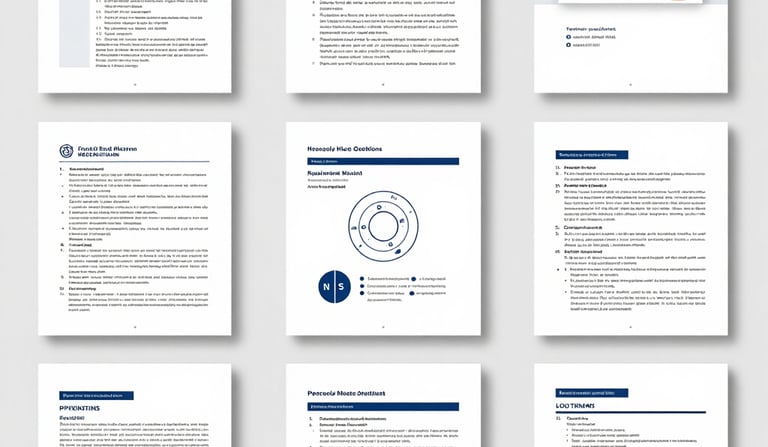
Downloads
All files are yours to keep, print, and use alongside your trading tools.
Prompt Template PDF
The 5-part framework as a fillable, printable reference card.
PDF · 2 pagesReader Workbook
One exercise page per chapter — prompts, tables, and reflection questions.
PDF · 13 pagesQuick Reference Cards
Debugging checklist + Alert setup cheat sheet. Keep open on your monitor.
PDF · 2 cardsTrader's Glossary
39 terms across Pine Script, AI & Prompting, and MetaTrader defined plainly.
PDF · 4 pagesMT4 vs MT5 Guide
Comparison table, EA differences, decision tree, and setup checklists.
PDF · 3 pagesWebhook Listener Template
Ready-to-deploy listener script. Parses TradingView JSON alerts automatically.
Code · StarterMetaTrader 4 EA Scaffold
MQL4 Expert Advisor starter file wired for webhook signal reception.
MQL4 · MT4MetaTrader 5 EA Scaffold
MQL5 Expert Advisor starter file using CTrade class for MT5 execution.
MQL5 · MT5Custom Pine Script indicators
Add these directly to TradingView. Each is mentioned in the book and companion videos.
The dual-EMA crossover indicator built in Video 3. Adjustable lengths, non-repainting, bar-close confirmed, with buy and sell alert conditions included.
Load on TradingView → Chapter 7 FilterBlocks entries when RSI momentum is unclear — neither trending up nor down. Adjustable upper and lower thresholds. Works alongside any base indicator.
Load on TradingView → Chapter 7 FilterPermits signals only when ADX confirms genuine trend strength. Configurable threshold, visual strength meter, and alert condition for trend activation.
Load on TradingView →Common questions
No. The entire approach in this book is designed for traders, not programmers. You describe your logic in plain English, Claude translates it into Pine Script, and the videos show every step on screen. You will review code — but you will not need to write it from scratch.
Version 6 is the current standard and what all resources on this site are built with. Always include "Using Pine Script version 6" at the start of your Claude prompt. If your script was written in version 5, Claude can convert it — just paste the code and ask for a version 6 upgrade.
Check what your broker offers first — that often decides it. If both are available, MT4 is the simpler starting point for forex traders. MT5 is better if you trade multiple asset classes or your broker requires it. The MT4 vs MT5 Guide download covers this in full, including a decision tree and setup checklists for both.
This almost always means your signal condition is true across multiple bars, not just at the crossover event. In TradingView, make sure the alert is set to "Once Per Bar Close." In your Pine Script, the signal should use ta.crossover() or ta.crossunder() rather than a simple greater-than/less-than comparison. Video 6 and the Debugging Quick Reference Card cover exactly this scenario.
Yes — and this is one of the most powerful uses of Claude in this workflow. Paste the EA scaffold code into a Claude conversation, describe what you want to change (lot size logic, additional filters, notification settings), and Claude will make targeted modifications. Always test any changes on a demo account before going live.
Only after thorough demo testing. The webhook pipeline delivers real trade commands the moment an alert fires. A misconfigured EA on a live account can open unintended positions instantly. Test every link in the chain separately on a demo account — the TradingView alert, the webhook listener, and the EA execution — before enabling anything live. This point is repeated throughout the book because it matters.